Create Build Project STRAPI
Create
-
For the name of the build project, the following nomenclature is recommended:
build_project-name--environment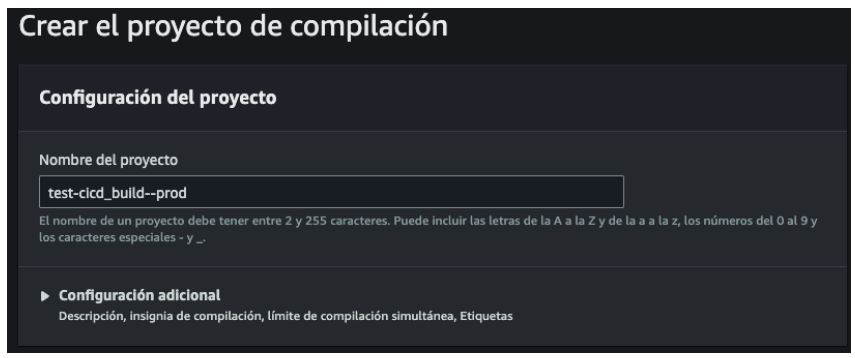
-
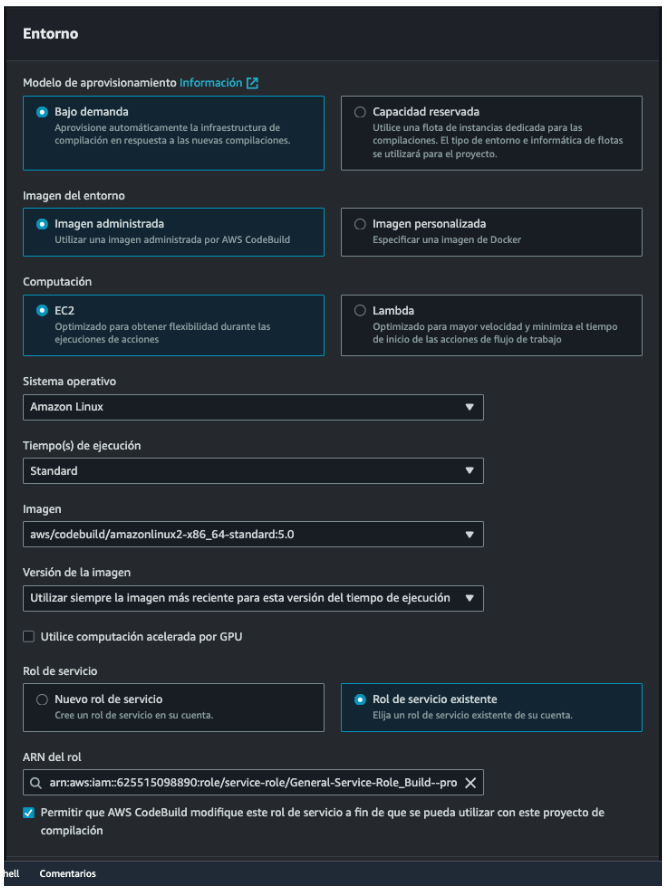
To configure the build project environment, choose the following options. Select the role “General-Service-Role_Build—prod” or “General-Service- Role_Build—test” as appropriate.
-
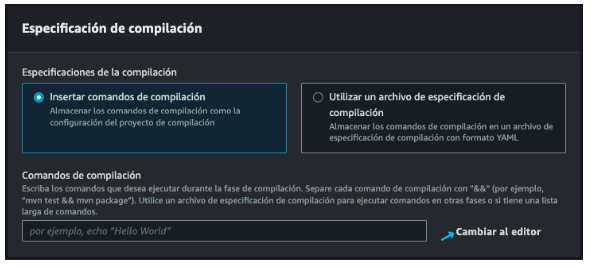
By default, CodeBuild reads a file called “buildspec.yml”, this file contains all the instructions that will be executed in the build stage. This file must be specified in the project. Select “Insert compilation commands” and then “Switch to editor”.
-
In the editor paste the following buildspec.yaml, replacing “s3://project-name/prod.env” with the correct URI in the .env file of the project specified in the prerequisites.
        version: 0.2
        phases:        pre_build:            commands:            - echo "${HUB_PASS}" | docker login --username "${HUB_USER}" --password-stdin        build:            commands:            - IMAGE_TAG=$(date +'%Y-%m-%d-%H-%M-%S')            - aws s3 cp s3://nombre-del-proyecto/prod.env .env            [- aws s3 cp s3://nombre-del-proyecto/keys/private.pem keys/private.pem]            - echo Building Docker image...            - docker build -t $IMAGE_NAME:latest -f Dockerfile.prod .        post_build:            commands:            - echo $ECR_REPO_URI            - echo $IMAGE_NAME            - echo $IMAGE_TAG            - echo "docker tag $IMAGE_NAME:latest $ECR_REPO_URI:$IMAGE_TAG"            - echo Logging in to Amazon ECR...            - aws ecr get-login-password --region $AWS_DEFAULT_REGION | docker login --username AWS --password-stdin $ECR_REPO_URI            - echo Pushing Docker image to ECR...            - docker tag $IMAGE_NAME:latest $ECR_REPO_URI:$IMAGE_TAG            - docker push $ECR_REPO_URI:$IMAGE_TAG
            - aws sts assume-role --role-arn $ECS_EXECUTION_ROLE --role-session-name build_stage_session > credentials-sts.json            - ACCESS_KEY_ID_TEMPORAL=$(jq -r '.Credentials.AccessKeyId' credentials-sts.json)            - SECRET_ACCESS_KEY_TEMPORAL=$(jq -r '.Credentials.SecretAccessKey' credentials-sts.json)            - SESSION_TOKEN_TEMPORAL=$(jq -r '.Credentials.SessionToken' credentials-sts.json)
            - aws configure set aws_access_key_id $ACCESS_KEY_ID_TEMPORAL            - aws configure set aws_secret_access_key $SECRET_ACCESS_KEY_TEMPORAL            - aws configure set aws_session_token $SESSION_TOKEN_TEMPORAL
- echo Updating ECS service... - aws ecs update-service --cluster $ECS_CLUSTER_NAME --service $ECS_SERVICE_NAME --force-new-deployment - printf '[{"name":"%s","imageUri":"%s"}]' $CONTAINER_NAME "$ECR_REPO_URI:$IMAGE_TAG" > imagedefinitions.json artifacts: files: imagedefinitions.json- In the following configurations leave as default:
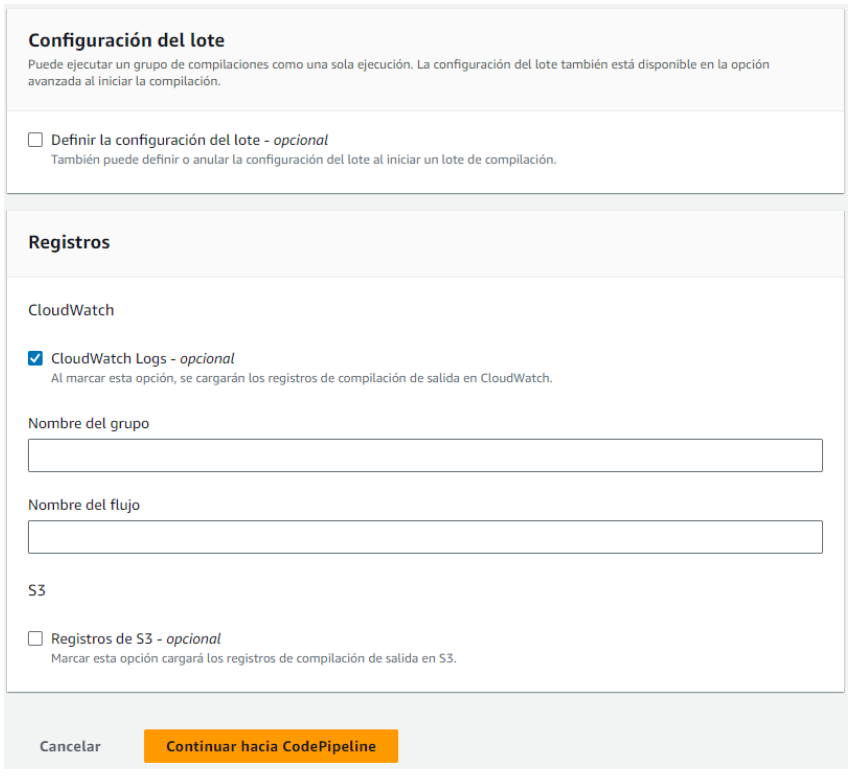
You must configure environment variables, which are not accessible from this step, you must finish configuring the pipeline and edit the build stage.